Author: Filippo Bacciu

  • My Website UI/UX Design System

    This website is built the same way I approach any project I take on professionally. Since it is a showcase of my career, it felt right that the process behind it should reflect how I actually work.

    I start by planning, then defining the fundamentals: colour, typography, and visual style. Once those are in place, I apply them in a modular way, building each part of the project on top of a consistent foundation. This makes every decision faster to implement, easier to keep coherent, and simpler to improve over time.

    This post documents that process, one layer at a time.

    The Problem

    My career spans product design, digital fabrication, technical communication, education and software. That range is the point, but it is also the risk: a portfolio that lists several disciplines can read as scattered rather than broad. The site had to make a multi-disciplinary profile legible within the seconds a recruiter gives it, in English and German, on any screen size.

    The answer is structure: a small set of fundamentals, applied consistently, so that breadth reads as one coherent story instead of a list of jobs.

    The People It Is For

    A portfolio site really serves two audiences, and it has to work for both at once. These are proto-personas: grounded in how hiring funnels actually work rather than in interview data, and open to correction if real usage data ever arrives.

    The Scanning Recruiter
    “Does this person fit the role I have open?”
    • Arrives from a CV or LinkedIn link, 30 to 90 seconds on the first pass
    • Needs the “what does this person do” answer instantly, then evidence
    • Design response: three-field positioning up top, CV and Contact always one click away
    The Evaluating Peer
    “Show me how you think, not just what you made.”
    • Second-round reviewer or potential collaborator, 5 to 15 minutes
    • Reads case studies properly and notices craft details as a proxy for competence
    • Design response: structured project stories and this documented system as meta-evidence

    Both arrive cold from an external link, and both punish inconsistency. A thin post next to a polished one undermines the recruiter and the peer alike, which is why depth of evidence inside each project post matters as much as the frame around it.

    The Journey

    The primary journey is the recruiter’s first pass: cold entry, fast orientation, a scan through the relevant discipline, one or two projects, then a low-friction way to reach out. Mapping it against the live site surfaced the weak points honestly, from the hero that takes a few seconds to say who I am, to the missing wayfinding state on deep pages.

    LinkedIn / CV link→ Homepage→ Design or Skills hub→ Project post→ CV→ Contact

    Primary persona: the Scanning Recruiter, a 30 to 90 second first pass deciding whether the candidate fits an open role.

    Stage
    1. ArriveCold entry from a link
    2. OrientFirst 10 seconds
    3. ExploreScanning the disciplines
    4. EvaluateIs the work real?
    5. Reach outConverting interest
    Goal
    Land on the site with a role in mind and zero prior context.
    Answer “what does this person do?” within seconds.
    Find the discipline that matches the open role and open a project.
    Confirm there is real work and real process behind the claims.
    Get in touch with minimal friction before attention runs out.
    Actions
    Clicks a link on a CV, LinkedIn application or referral; lands on the homepage or a deep project post.
    Reads the hero statement, registers the three-field identity (Design / Communication / Education), glances at the menu.
    Opens the Design or Skills hub, or scrolls Selected Projects; clicks one or two cards.
    Skims a project post for visuals and structure; may open CV or this design-system post as a second opinion on craft.
    Clicks the Contact CTA in the header, or copies the email or LinkedIn link.
    Touchpoints
    External link (CV PDF, LinkedIn, referral); EN homepage or /de/ mirror; deep project URL.
    Hero headline and subtitle, header nav, the three-field band.
    Design hub and Skills hub dropdowns, Works overview, homepage Selected Projects carousel.
    Project post structure (featured image, role, context, outcome), CV page, the design-system case study.
    Persistent Contact CTA in the header, footer links, CV download.
    Pain points
    The hero leads with a value statement, not a name and role; the “who” is implicit for a few seconds.
    A multi-disciplinary profile can read scattered if the three-field story does not land immediately.
    Thin or text-only project posts sit next to polished ones; two thin posts in a row weaken the evidence.
    No wayfinding state on deep pages; a visitor entering on a post cannot see where they are in the structure.
    Contact is always one click away, but a visitor with a preferred channel has to pick it from the footer links.
    Opportunities
    A one-line name-and-role line above the hero headline for instant orientation.
    Keep the three-field band high on the page; it turns diversity into a story rather than a list.
    Prioritise visuals on the highest-traffic posts first; a consistent post template makes projects comparable at a glance.
    Breadcrumb or highlighted nav state on posts; a related-projects strip to pull visitors into a second case study.
    Surface preferred channels directly on the Contact page, with the CV link alongside.

    Journey mapped against the live site, October 2026. Lanes follow the Nielsen Norman journey map structure: goal, actions, touchpoints, pain points, opportunities.

    The Map

    The architecture mirrors the two audiences and the two markets. One menu, two hubs: Design groups the five disciplines, Skills groups the technical capabilities. Works and CV sit top level where recruiters expect them, Contact stays a persistent header action, and the whole structure exists twice, once per language.

    filippobacciu.com — site map (Oct 2026) LOGO Design · Skills · Works · CV CONTACT Global header — logo left, navigation center, Contact CTA right (present on every page) EN ⇆ DE language switcher ENGLISH — / Home Design Product Design UX/UI Design Digital Manufacturing Technical Comm. Educational Work Skills Artificial Intelligence RPA Development Works CV Contact DEUTSCH — /de/ Startseite Design Produktdesign UX/UI-Design Digitale Fertigung Techn. Kommunikation Bildungsarbeit Fähigkeiten Künstliche Intelligenz RPA-Entwicklung Projekte Lebenslauf Kontakt Design hub — five disciplines, one entry point Skills hub — technical capabilities Contact lives in the header CTA and footer, not in the nav Footer — Privacy Policy · Legal Notice (EN) | Datenschutzerklärung · Impressum (DE) · social links Homepage scroll order: Hero + positioning → Design / Comm. / Edu. → Discover My Journey → Selected Projects → Toolbelt → CTA / Footer

    The Colour Palette

    The palette is built around four core colours, each playing a specific role in the visual hierarchy, with white as the accent.

    #1C0F13
    Coffee Bean
    Primary background
    #6E7E85
    Slate Grey
    Borders, dividers, secondary text
    #B7CECE
    Ash Grey
    Card backgrounds, light surfaces
    #BBBAC6
    Pale Slate
    Subtle backgrounds, tags
    #FFFFFF
    White
    Accent: CTAs, headings, highlights

    White is the accent. It appears on calls to action, key headings and interactive elements, giving the eye a clear place to land without complicating the palette.

    The Type System

    Four typefaces, each with one job. A display face for statements, a serif italic for voice, a workhorse for reading, and a monospace for anything technical. The theme provides the last two; the first two are layered on as overrides where a page needs more personality.

    Ag
    League Spartan
    Display headlines, section titles
    Ag
    Libre Baskerville
    Italic subheads, editorial voice
    Ag
    Manrope
    Body text, interface copy
    Ag
    Fira Code
    Hex codes, labels, technical accents

    Layout and Components

    Everything sits on the block theme’s grid, and the component vocabulary is deliberately small:

    • Header. Logo left, navigation centre, Contact call to action right, identical on every page and in both languages.
    • Cards. Rounded 12px corners, a soft 8px shadow, Coffee Bean text on white or Ash Grey. The same card carries project thumbnails, palette swatches and type specimens like the ones above.
    • Carousels. Horizontal scrolling for project galleries, so a works section can hold many pieces without a wall of thumbnails.
    • Custom HTML blocks. Where a component does not exist (colour cards, journey maps, this site’s sitemap), it is written as a self-contained block that inherits the palette rather than hardcoding new styles.

    The Audit

    After building, the site was audited against the five questions the design curriculum uses to review UX portfolios. Scores are honest, and the weakest one is there on purpose: it is the thing still being worked on.

    Review questionScoreKey finding
    Personal brand?StrongThree-field positioning, custom domain, distinctive system. Gap: hero states the what, not the who.
    Navigation?StrongTwo-hub menu, persistent Contact, full EN/DE mirror. Gap: no wayfinding state on deep pages.
    Beyond the template?StrongCustom palette, font stack, carousels, bilingual structure, self-documenting.
    Diversity of projects?PartialBreadth is real; depth varies. Thin posts sit next to polished ones while the asset pipeline catches up.
    Responsive?PassAdapts at phone width; one cosmetic defect (carousel arrows overlap card text).

    Accessibility

    The palette was tested pair by pair against WCAG contrast requirements. The two surfaces that carry almost all text, Coffee Bean and White, hold a 18.63:1 ratio, nearly the maximum possible. The audit did find one genuine failure:

    PairRatioVerdict
    White on Coffee Bean18.63:1AA + AAA
    Coffee Bean on White18.63:1AA + AAA
    Slate Grey on White4.21:1Large text only
    Slate Grey on Coffee Bean4.42:1Large text only
    Coffee Bean on Ash Grey11.30:1AA + AAA
    Coffee Bean on Pale Slate9.72:1AA + AAA

    The rule adopted: Slate Grey never carries normal-size text. It stays for large meta labels, dividers and decorative borders, while body-size secondary text uses Coffee Bean at reduced weight. A small constraint, but the kind that is cheap to respect when it is written down.

    What Comes Next

    • A one-line name-and-role eyebrow above the hero headline, so the who lands before the what.
    • Wayfinding on deep pages: a breadcrumb or a highlighted menu state so a visitor entering on a project post can place themselves.
    • Deeper evidence per project: visuals, featured images and structured sections on the posts that are still thin.
    • The mobile carousel arrow overlap, a known cosmetic fix.

    That list is the point of the tagline. A living portfolio is never finished; it is just documented honestly at each stage. This post will keep growing the same way, one layer at a time.

  • 3D Fabrication & Entrepreneurial Innovation: Goosebumps Lab

    3D Fabrication & Entrepreneurial Innovation: Goosebumps Lab

    1. Pioneering 3D Manufacturing

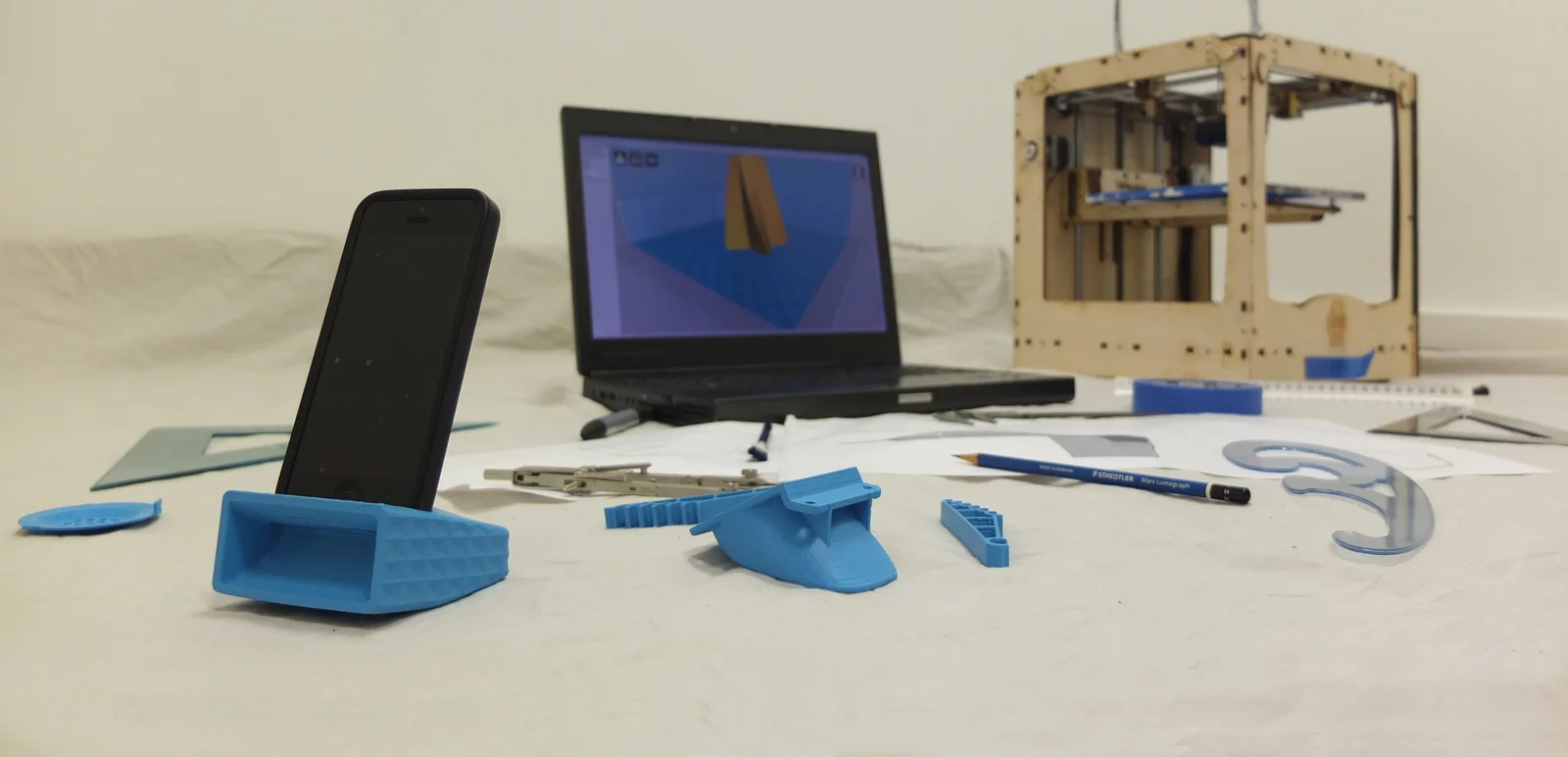
    As the founder of Goosebumps Lab, I established an innovative 3D design studio focused on high-quality, additive consumer products and high-resolution CAD/CAM services.

    • Lab Infrastructure: Orchestrated the setup and day-to-day operation of an industrial FDM 3D printing lab, including maintenance, hardware upgrades, and precision part replacement.
    • Full-Cycle Product Design: Managed the entire product journey—from conceptual sketches and 3D modeling to structural testing and final market-ready fabrication.
    • Global Service Delivery: Successfully scaled services via international platforms like 3DHubs.com, managing client relations and bespoke technical requirements for global projects.
    Goosebumps Lab 3D Printing Studio

    2. Business Strategy & Growth

    Operations Management

    Managed critical business cash flows, developed comprehensive multi-year business plans, and architected the operational scaling strategy for the lab.

    Market Integration

    Optimised product listings and digital marketing strategies to capture market share in the rapidly growing 3D-printed home accessories and parts sectors.

  • Pattern Digitalization & Exhibition Design: Mica Gallery

    Pattern Digitalization & Exhibition Design: Mica Gallery

    1. Digitalizing Heritage

    During my consultancy at Mica Gallery, I was tasked with modernising traditional Islamic geometric art, converting intricate hand-drawn sketches into high-fidelity digital landscapes.

    • Vector Pattern Synthesis: Systematically converted complex Islamic pattern sketches into precise digital vector versions, ensuring mathematical perfection and scalability.
    • Product Collection Development: Transformed these patterns into sixteen distinct concept products, spanning ninety-six different versions across home decor and architectural accents.
    • 3D Visualization: Provided high-end 3D models and photorealistic visualisations of the products within curated interior environments to drive gallery sales.
    Mica Gallery Islamic Pattern Collection

    2. Exhibition Design & Showcase

    100% Design Showcase

    Led the technical preparation for the collection’s showcase at the prestigious 100% Design exhibition during the London Design Festival.

    Spatial Layouts

    Designed integrated product-and-interior simulations that demonstrated the versatility and cultural impact of the geometric collection.

  • Retail & Label Design: Topshop

    1. The Oxford Circus Floor

    Sales assistant at Topshop’s Oxford Circus flagship, one of the busiest high-street retail floors in London. Beyond the till, the role meant living inside a brand: how it presented itself, how customers read it, and what made them buy.

    • Flagship retail operations: Day-to-day sales on the floor of the Oxford Circus store, one of the highest-traffic fashion retail environments in the UK.
    • In-store brand management: Responsibility for a brand sold inside the store, keeping its presentation and stock in line with both the label’s identity and Topshop’s floor standards.
    • Customer-facing communication: Product advice and brand storytelling translated into plain, useful language for real customers.

    2. Clothing Label Design

    The design output of this period: clothing labels for the in-store brand I managed. Small format, strict constraints, real production, the kind of brief where every millimetre and every letterform has to earn its place.

    • Label artwork: Designed clothing labels for a brand managed inside the store, from layout to production-ready artwork.
    • Brand consistency: Kept the label system coherent across items while working within garment production constraints.
    • Retail context: Designed from the floor, not from a distance: the labels had to work on the rack, in the hand, and at the till.

    An early intersection of retail experience and graphic design practice: selling the brand by day, and literally designing what went on the clothes.

  • Design Internship & Visual Synthesis: Alkimia SNC

    1. Foundations of Design

    Working under the mentorship of Matteo Tessera and Valerio Vinciguerra, I gained valuable insight into the fast-paced world of Italian branding and visual communication.

    • Visual Identity Support: Contributed to the development of modern brand identities for regional clients, ensuring scalability and aesthetic consistency across media.
    • Digital Asset Production: Assisted in the creation and optimization of vector graphics, ensuring high-fidelity layouts for both print and digital platforms.
    • Studio Workflow: Developed an early understanding of studio operations, including project pipelines, client asset management, and technical documentation standards.

    2. Technical Craft & Collaboration

    Vector Precision

    Mastered the fundamentals of vector synthesis, creating clean and versatile icons and logos for diverse commercial industries.

    Design Ethics

    Embraced the core principles of effective visual communication, focusing on clarity, impact, and user-centric design solutions.

  • Architectural Collaboration & Technical Consultation: Architetto Francesco Trisorio

    1. Technical Draughting & Compliance

    In collaboration with Architect Francesco Trisorio, I provided essential technical support for complex residential and commercial projects, ensuring every blueprint met rigorous construction standards.

    • Architectural Master Drawing: Produced comprehensive technical drawings and structural layouts, focusing on precision, spatial efficiency, and regulatory compliance.
    • Design Consultation: Actively collaborated on the conceptual development of interior spaces, selecting materials and finishes that balanced aesthetic vision with structural feasibility.
    • Field Surveys & Audits: Conducted detailed on-site surveys and technical audits to inform the development of high-fidelity restoration and renovation plans.

    2. Bringing Vision to Life

    Spatial Problem Solving

    Resolved complex structural and spatial challenges within historic and modern Italian contexts, providing innovative solutions for residential layouts.

    Material Integrity

    Advised on the selection and technical integration of materials, ensuring durability and high-end aesthetic finishes in accordance with the project vision.

  • Technical Documentation for the Machinery Industry: My Time at Technolab

    2. Key Achievements & Impact

    30% Process Optimisation

    Within my first four months, I implemented a new methodology for content creation and editing that slashed project turnaround times by 30% while actually increasing the accuracy of the technical data.

    ⚖️ Regulatory Champion

    Ensured every manual complied strictly with the EU Machinery Directive 2006/42/EC and Health & Safety regulations, safeguarding both the company and the user.

    Multilingual Management

    Managed the production and localisation of instructional content in both English and Italian, maintaining a consistent voice across different languages.

    3. The Technical Approach (The “How”)

    I didn’t just write text; I designed the information. My workflow included:

    3D Visual Documentation

    Leveraging SolidWorks Composer and Adobe Illustrator to create exploded-view drawings and 3D product visualisations. This reduced user reliance on text and made troubleshooting more visual.

    Data-Driven Authoring

    Using proprietary Technical Data Management Systems (TDMS/EDMS) to manage complex product layouts and ensure editorial standards were met at scale.

    Collaborative Interfacing

    Frequent deep dives with Engineers and Subject Matter Experts (SMEs) to translate raw technical data into “consumer-friendly” language.

    4. The Toolkit Used

    • Authoring: Adobe InDesign, MS Word, FrameMaker, Markdown
    • Visuals: Adobe Illustrator, Solidworks Composer, Acrobat Pro
    • Management: TDMS, CCMS platforms, Jira for project tracking
  • Gen AI Prompt Engineering & Response Validation: Outlier

    1. Refining the Frontier of Intelligence

    As an AI Prompt Analyser, I work at the intersection of linguistic nuance and machine learning, ensuring model outputs are safe, factual, and optimally aligned.

    • Response Ranking: Critically analysed and ranked model responses based on rigorous metrics of factuality, relevance, and semantic accuracy.
    • Iterative Prompt Engineering: Wrote and rewrote complex prompts to pressure-test model limitations and identify paths for alignment and safety improvements.
    • Fact-Checking & Research: Conducted deep research to verify the accuracy of AI-generated content, mitigating hallucination risks and strengthening reliability.

    2. Collaboration & Best Practices

    Technical Synergy

    Collaborated with software engineering and product teams to codify best practices for AI-driven documentation, streamlining development pipelines.

    Usability Analysis

    Evaluated the user-facing clarity and utility of prompt-response cycles, ensuring that AI tools provide actionable and intuitive value to end-users.

  • E-commerce Evolution & Bauhaus Strategy: Leading Shapes Design

    E-commerce Evolution & Bauhaus Strategy: Leading Shapes Design

    1. Brand Identity & Creative Direction

    I established Shapes Design as a benchmark for minimal, Bauhaus-inspired home decor. This wasn’t just about selling objects; it was about curating a complete visual philosophy.

    • Brand DNA: Designed the core logo (Triangle, Circle, Square) and a unified graphic system for the EU and UK markets.
    • Product Development: Led the conceptualisation and manufacturing of multiple geometric art and furniture collections.
    • Graphic Design: Created all brand collateral, from high-fidelity textures to digital social assets and editorial layouts.

    2. High-Performance E-commerce Engine

    ⚙️ The Tech Stack

    Architected and launched multi-lingual storefronts across WordPress (WooCommerce) and Shopify, ensuring a seamless user experience across the UK, Italy, and Europe.

    Frictionless UX

    Implemented a rigorous UX/UI methodology that prioritised clarity. This data-driven redesign resulted in a **50% reduction in user support inquiries** and a significant boost in conversion rates.

    Shapes Design UI

    3. Marketing Automation & Content Scaling

    Growth was never accidental. I built a system that scaled through advanced automation and human-centric messaging.

    Content & Community

    Ran organic content calendars across niche communities, growing engagement and driving high-intent traffic without traditional ad spend.

    Klaviyo & Retention

    Architected complex email flows and retention campaigns, turning one-time buyers into loyal brand advocates through personalised storytelling.

    Affiliate & SEO

    Managed affiliate networks and implemented long-tail SEO strategies to maintain a high “Organic Search” presence for minimalist keyword clusters.

    4. Operational Excellence & Strategic Management

    Beyond design, I managed the business from the ground up, ensuring financial viability and supply chain resilience.

    • Business Setup & Funding: Managed the initial setup and secondary funding rounds to sustain studio operations and growth.
    • Legacy Relationships: Negotiated supplier contracts and sourcing strategies for high-quality sustainable materials.
    • Logistics: Built the inventory management and delivery system for a complex international supply chain (UK ↔ EU).
    • Pricing Strategy: Developed a tiered pricing model that balanced brand prestige with aggressive market competitiveness.

    5. UX Case Study: Customer Journey Map

    To keep UX methodology at the centre of the store, I mapped the end-to-end purchase journey on the live shop at shapes-design.com. The map follows a visitor from discovery to post-purchase across a configurable, print-on-demand catalogue, and converts observed friction into a prioritised improvement list.

    Home→ Category→ Shop Grid→ Product Page→ Cart→ Checkout→ Confirmation

    Side loop: Wishlist and Compare let visitors save products mid-browse and return later, which suits a catalogue people scroll rather than search.

    Stage
    1. DiscoverFirst contact
    2. BrowseExploring the catalogue
    3. EvaluateChoosing a product
    4. PurchaseCheckout
    5. Post-PurchaseAfter the order
    Goal
    Find minimal, geometric homeware or wall art that fits a personal style.
    Scan the catalogue and shortlist designs worth a closer look.
    Pick the right variant (size, format, framing) and trust the quality.
    Complete the order quickly with no cost surprises.
    Feel confident about delivery and have a reason to come back.
    Actions
    Arrives via search, social, or direct link onto the homepage or a seasonal category (Halloween, Christmas, Back to School).
    Scrolls the shop grid, jumps between categories: Wall Art, Cushions, Notebooks, Journals, Greeting Cards.
    Opens the product page, zooms gallery images, selects variant options, compares prices, adds to wishlist.
    Reviews the cart, enters shipping details, picks a payment method, confirms.
    Reads the order confirmation, tracks delivery, browses the wishlist again.
    Touchpoints
    Homepage hero, seasonal collection pages, search results, social posts.
    Shop grid with pagination, category navigation, sorting and filters.
    Product gallery, variant picker, price display, ratings and reviews, Compare and Wishlist, related products.
    Mini cart, cart page, WooCommerce checkout, payment options.
    Confirmation page, transactional emails, account area, wishlist.
    Pain points
    A wide catalogue can make the first step unclear; the brand story sits one click deep on the About page.
    The same artwork appears on many product types, so grid thumbnails can look repetitive across 14+ pages.
    Price displays as a range until a variant is chosen; buyers must imagine the item in their own space.
    Shipping cost and delivery time only become concrete at checkout.
    Print-on-demand lead times can be unclear, which weakens delivery confidence.
    Opportunities
    Stronger hero CTA and featured-collection entry; dedicated landing pages for seasonal campaigns.
    Dual navigation: shop by product type or by artwork; collection badges to break up the grid.
    Room-scene mockups, variant thumbnails that update the preview, reviews surfaced higher on the page.
    Free-shipping threshold with a progress bar, guest-first checkout, express payment buttons.
    Cross-sell the same artwork on other product types, review request email, loyalty incentive.

    Journey mapped against the live store, October 2026. Lanes follow the standard Nielsen Norman journey map structure: goal, actions, touchpoints, pain points, opportunities.

    User Flow: From Browse to Order

    The same journey as a screen-by-screen wireframe flow: six key screens of the store, the decision points between them, and the save-for-later loop that brings visitors back to the product page.

    SHAPES DESIGN E-commerce user flow · shapes-design.com · WooCommerce purchase journey · Oct 2026 shapes-design.com SHAPES Shop Categories About COLLECTION HERO seasonal campaign banner + CTA WALL ART CUSHIONS STATIONERY 1 HOME shapes-design.com/shop SHAPES Shop Categories About FILTERS Category Color Price Size In stock product tile product tile product tile product tile product tile product tile product tile product tile product tile 2 SHOP GRID shapes-design.com/product SHAPES Shop Categories About PRODUCT IMAGE Abstract Dreamscape Poster £9.00 – £55.00 Size: A3 Frame: Black ADD TO CART + Add to wishlist Compare Description | Reviews 3 PRODUCT PAGE shapes-design.com/cart SHAPES Shop Categories About CART (2 items) x1 £24.00 x1 £24.00 x1 £24.00 SUMMARY Subtotal £48.00 Shipping £5.90 Total £53.90 CHECKOUT 4 CART shapes-design.com/checkout SHAPES Shop Categories About BILLING DETAILS Name Email Address City Postcode YOUR ORDER 2 items £53.90 PayPal Card PLACE ORDER guest checkout ok 5 CHECKOUT shapes-design.com/order SHAPES Shop Categories About ✓ ORDER #4521 CONFIRMED confirmation email sent est. delivery 5-8 days CONTINUE SHOPPING 6 CONFIRMATION clicks Shop view item ‘Add to cart’ checkout places order WISHLIST / COMPARE save-for-later loop return visit → product page saves item returns to buy Primary path: numbered steps 1-6. Dashed lines: secondary save/compare loop.

    Key Findings

    • Variant selection is the decisive moment: every product is a configurable design (size, format, framing), so the variant picker carries more weight than any other UI element.
    • Wishlist and Compare are the retention loop: in a browse-heavy catalogue, saving for later matters more than search.
    • Seasonal categories are the strongest acquisition entry: Halloween, Christmas and Back to School deserve dedicated landing-page treatment.
    • Two mental models coexist: shoppers think by artwork and by product type, while the navigation optimises for product type only.
  • STEM Education & Workshop Infrastructure: St Matthew Academy

    STEM Education & Workshop Infrastructure: St Matthew Academy

    1. Orchestrating Advanced Fabrication Labs

    In this role, I was responsible for the operational readiness of high-end STEM laboratories, bridging the gap between design theory and hands-on manufacturing.

    • Predictive Maintenance: Managed the performance and safety checks of advanced workshop machinery, including Laser Cutters, CNC Routers, and 3D Printing Labs.
    • Digital-to-Physical Workflow: Supported students and teachers in mastering CAD/CAM processes using industry-standard tools like AutoCAD and Rhinoceros.
    • Safety Leadership: Served as a core member of the Academy’s Health and Safety Committee, conducting comprehensive annual audits across the entire campus.

    2. Educational Innovation & Support

    STEM Pedagogy

    Designed and led technical demonstrations that made abstract scientific and engineering concepts tangible for thousands of students.

    Resource Optimisation

    Implemented a streamlined inventory collection and resource management system that improved the efficiency of technical setups by 20%.

  • Structural Elegance & Large-Scale Art: Paul Cocksedge Studio

    Structural Elegance & Large-Scale Art: Paul Cocksedge Studio

    1. Orchestrating Technical Ambition

    Working with Paul Cocksedge Studio required a unique blend of structural intuition and rigorous project management to bring world-renowned art installations to life.

    • Advanced Fabrication: Led the production of complex structural forms using CNC foam cutting, laser-cut acrylic, and precision metal welding.
    • Operations & Logistics: Revolutionized the workshop workflow by implementing comprehensive material inventories and digital spreadsheets for project tracking.
    • Material Mastery: Applied a multi-disciplinary approach across moulding, carpentry, and professional spray painting to achieve high-fidelity finishes on public art projects.
    Paul Cocksedge Studio Fabrication

    2. The Art of Digital Manufacturing

    Structural Innovation

    Executed large-scale polystyrene structures using custom CNC pathways, ensuring mathematical precision in organic, flowing forms.

    Hybrid Craft

    Sublimated the line between industry and art, integrating automated processes with handcrafted refinement for global gallery and public exhibition standards.

  • Large-Scale Scenography & Production Estimation: Souvenir Scenic Studios

    1. Engineering the Narrative

    At Souvenir Scenic Studios, I translated theatrical and commercial concepts into structural blueprints, ensuring that every artistic vision was backed by technical feasibility.

    • Technical Draughting: Produced high-fidelity drawings for site installations, window displays, and complex architectural set elements for the London stage and retail sectors.
    • Strategic Production: Evaluated high-level designer concepts to determine the most efficient manufacturing paths, leveraging the specific equipment and technical expertise of the studio staff.
    • Documentation & Inventory: Generated detailed assembly instructions and material inventories, streamlining the communication between the design office and the production workshop.

    2. Commercial Estimation & Bidding

    Proposal Architecture

    Architected project proposals including detailed costings and delivery timelines, ensuring commercial viability for high-stakes retail and scenic projects.

    Feasibility Audits

    Conducted thorough feasibility audits on upcoming projects, identifying potential structural risks and optimizing fabrication techniques to meet tight installation deadlines.

  • High-Fidelity Fabrication & Luxury Retail: Elemental Design

    High-Fidelity Fabrication & Luxury Retail: Elemental Design

    1. Precision Production for Global Luxury

    Working with industry giants like **Fendi** and **Harrods**, I transformed complex design concepts into tangible, high-fidelity physical realities.

    • CNC Mastery: Led the programming and operation of advanced CNC machinery, delivering structural components with sub-millimetre precision.
    • Manufacturing Strategy: Evaluated creative designs from a production perspective, optimizing material use and assembly workflows without compromising aesthetic intent.
    • Advanced Draughting: Produced comprehensive technical drawings, assembly instructions, and materials inventories for large-scale retail installations.
    Elemental Design Precision Engineering

    2. Prototyping & 3D Visualization

    High-Resolution R&D

    Managed dedicated 3D design labs, utilising additive manufacturing (3D Printing) to rapidly iterate and test bespoke luxury components for flagship stores.

    Technical Integrity

    Ensured the technical integrity of all deliverables, coordinating directly between design teams and on-site production workshops to meet the rigorous standards of global luxury brands.

  • High-Tech Couture & Parametric Sculpture: Studio Waldemeyer

    High-Tech Couture & Parametric Sculpture: Studio Waldemeyer

    1. Engineering the Futurist Aesthetic

    Working at Studio Waldemeyer placed me at the cutting edge of wearables and artistic technology, where I helped bridge the gap between complex mechanics and high-fashion aesthetics.

    • The Jamiroquai ‘Automaton’ Helmet: Contributed from ideation to production for the iconic kinetic helmet worn by Jay Kay. This project required precise integration of mechanical segments and LED electronics.
    • Parametric Design Sculpture: Designed and developed algorithmically-driven sculptures for a major client installation, leveraging computational design for physical form.
    • Kinetic Systems: Created bespoke mechanical systems for a concept project involving movement and ceiling-mounted hanging rings.
    Studio Waldemeyer Jamiroquai Helmet Engineering

    2. Advanced Fabrication Toolkit

    Digital Prototyping

    Utilised a rapid-iteration cycle of 3D printing and laser cutting to test kinetic components and structural integrity before final assembly.

    High-Tech Assembly

    Applied precision CNC milling and expert soldering techniques to integrate delicate electronic components into wearable and structural art.

  • Creating Self-explanatory Product Views

    A good product view answers questions before they are asked. What is it? How does it work? Which part do I touch first? When a visual leaves those questions open, the viewer either asks support or walks away, and both outcomes cost more than a better picture.

    What Makes a View Self-Explanatory

    • Hierarchy: the eye must land on the most important thing first. If everything shouts, nothing says anything.
    • Context: a product floating in a void tells you nothing about scale, use, or orientation.
    • Annotation that earns its space: callouts and labels where the eye actually gets stuck, not decoration on top of confusion.
    • Consistency: same angle logic, same lighting, same vocabulary across a series, so the viewer learns the system once.

    Techniques That Carry the Load

    • Exploded views: show the assembly order visually instead of describing it in words.
    • Numbered callouts: tie every label to a step or a part, so image and instructions cannot drift apart.
    • Scale cues: a hand, a door handle, a familiar object, anything that answers “how big is it” instantly.
    • Progressive disclosure: overview first, detail on demand. Never make the viewer parse everything at once.

    This is the visual half of technical communication: the render, the diagram, and the photo doing explanatory work that would otherwise need a paragraph, or a support ticket.

  • Streamlining Team Workflows

    Most workflow problems are not productivity problems. They are information problems: unclear ownership, scattered documentation, and the same questions answered for the fifth time. This post describes the approach I use to untangle them.

    Where Workflows Break

    • Handoffs: work stalls at the boundary between people, because “done” means different things to each side.
    • Scattered truth: the process lives in someone’s head, a chat thread, and three documents that disagree.
    • Repeated questions: every repeated question is a symptom of documentation that failed its reader.
    • Invisible work: nobody can see status, so status gets asked about in meetings instead.

    The Pattern That Fixes It

    1. One source of truth: a single canonical place for each piece of process knowledge. Everything else links to it, never copies it.
    2. Named owners: every step has a person, not a department. “The team” owns nothing.
    3. Templated recurrence: if a task repeats, it gets a template: checklist, structure, or boilerplate. Recurring work should not be re-invented.
    4. Automate the mechanical: anything that is copy-paste, renaming, syncing, or reformatting is a machine’s job.

    A Working Example

    This website runs on that pattern. Portfolio projects live as structured notes in an Obsidian vault; each note’s frontmatter declares its publication state. A small pipeline reads those notes, builds the WordPress posts, and keeps the vault’s dashboard view in sync with what is live, no duplicate tracking, no status drift between systems.

    The same thinking scales from personal projects to team documentation systems: define the source of truth, name the owner, template the repeatable, automate the mechanical.

  • Revamping User Manuals

    Revamping User Manuals

    The manuals I produce for clients are protected by NDAs, so this post shows the same process applied to public material. I took a dense chapter of real technical documentation, Chapter 3 of DocBook 5.2: The Definitive Guide by Norman Walsh (XML Press, published freely at tdg.docbook.org), and restructured it the way I approach a manual revamp.

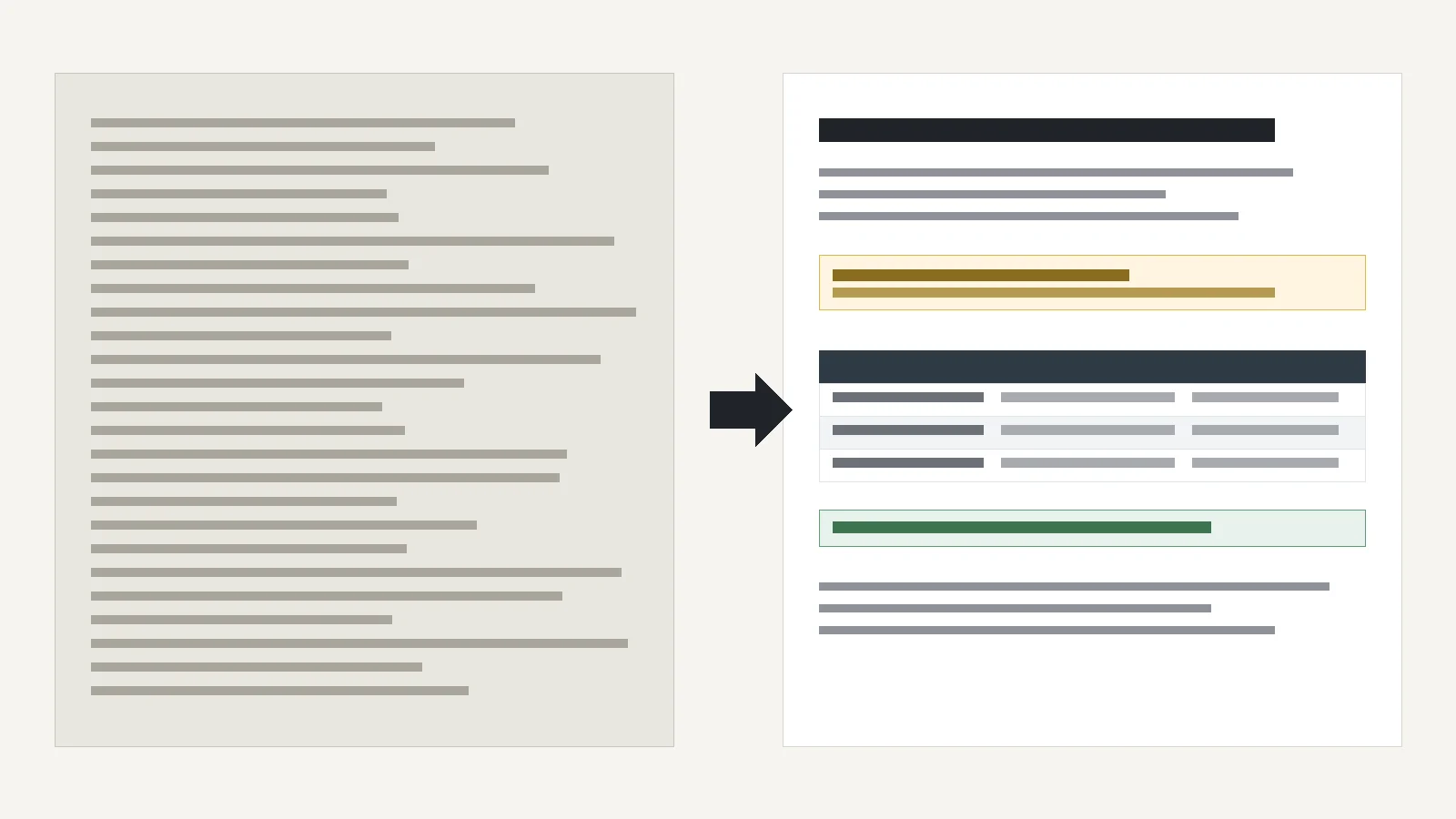
    What the revamp does

    • Condenses the concept prose into a scannable overview with an at-a-glance summary
    • Lifts the ID/IDREF caveat out of a mid-paragraph aside into a callout
    • Converts the tool survey into a comparison table with a copy-paste command
    • Rebuilds the three worked error examples as a symptom, cause and fix reference
    • Condenses the code listings; the substance is unchanged

    The revamped chapter

    Validating DocBook Documents

    A DocBook document is only DocBook if it validates. Validation checks the exact order and nesting of every element against the schema. This chapter covers what validation enforces, which tools to use, and how to read the error messages when a document fails.

    At a glance
    Validation runs after parsing: the document must already be well-formed XML.
    Modern DocBook (V5.x) is defined by RELAX NG + Schematron, not a DTD.
    Validating early, while you write, prevents publishing broken output downstream.

    What validation checks

    The DocBook schema is a precise description of valid nesting: which elements may appear, in which order, and containing what. A validating parser compares your document against that description and reports every place it diverges.

    DocBook V5.x is defined by a RELAX NG grammar plus Schematron rules. The older DTD still exists but no longer enforces most DocBook constraints, so validate with an external RELAX NG / Schematron validator instead.

    ID/IDREF caveat
    Cross-references use xml:id (ID) and linkend (IDREF). Every ID must be unique, and every IDREF must point to an ID that exists. These checks are not part of core RELAX NG: the DTD-compatibility extensions that add them behave badly with the DocBook grammar. Either disable those checks, ignore their warnings, or enforce the constraints with Schematron.

    Choosing a validator

    ToolTypeNotes
    <oXygen/> XML EditorIntegratedRELAX NG + Schematron as you type
    XMLmindIntegratedRELAX NG + Schematron
    Emacs (nxml-mode)IntegratedRELAX NG as you type
    JingStandaloneCommand-line RELAX NG + Schematron
    MSVStandaloneRELAX NG; verbose, informative error messages
    NVDL-aware toolsDispatchSimplifies multi-namespace documents (SVG, MathML in DocBook)

    Running MSV from the command line:

    java -jar msv.jar docbook.rng document.xml

    Reading validator errors

    Every validator phrases errors differently, but most tell you where the parse broke and what was expected. That location is the symptom, not always the cause. Three recurring patterns:

    Validator messageLikely causeReal fix
    unexpected character literalCharacter data appears where only elements are allowed, typically because a wrapper element or end tag is missingWrap the text in a block element such as para, or restore the missing </para>
    tag name "paar" is not allowedA misspelled start tag or the wrong namespaceCheck the spelling against the list of permitted names. If the typo happens to spell another valid element, the error may surface elsewhere as an out-of-context error instead
    Validator proposes inserting an unexpected elementA valid tag placed in the wrong contextThe validator only ever adds elements to recover; it never renames one. In the example below it never suggests formalpara, which is what the markup actually needed

    A worked example: a title placed directly inside para produces:

    <para><title>Paragraph With Inlines</title>
      <emphasis role="bold">This</emphasis> paragraph contains...
    </para>
    
    Error at line:9, column:14 of context.xml
      tag name "title" is not allowed. Possible tag names are: ...

    Here the fix is not the insertion the validator suggests: the author almost certainly wanted formalpara, the paragraph type that permits a title. The message was accurate about where it failed, but silent about why.

    Key point
    Validator errors describe the symptom, not the diagnosis. Read the element before the reported line first, and treat the suggested recovery as a hint rather than an instruction.

    Source

    Restructured and condensed from Chapter 3, “Validating DocBook Documents”, DocBook 5.2: The Definitive Guide by Norman Walsh (XML Press). Read the original chapter. Restructuring, table design and editorial choices are mine; the technical content is Walsh’s.

  • Bringing Science to Life Through Demonstrations

    In collaboration with the Senior Technician, I prepared and conducted Physics and Chemistry demonstrations—including Acceleration, Waves, and Distillation. These hands-on sessions aligned with AQA Required Practicals and helped students grasp complex concepts through real-world applications.